

Turn rough notes into polished, on-brand Joomla articles. SE AI Article Designer sits right under your article editor, lays out your text in your house style, places your images, suggests you SEO and edits existing articles on instruction, with every change previewed, approved and reversible.
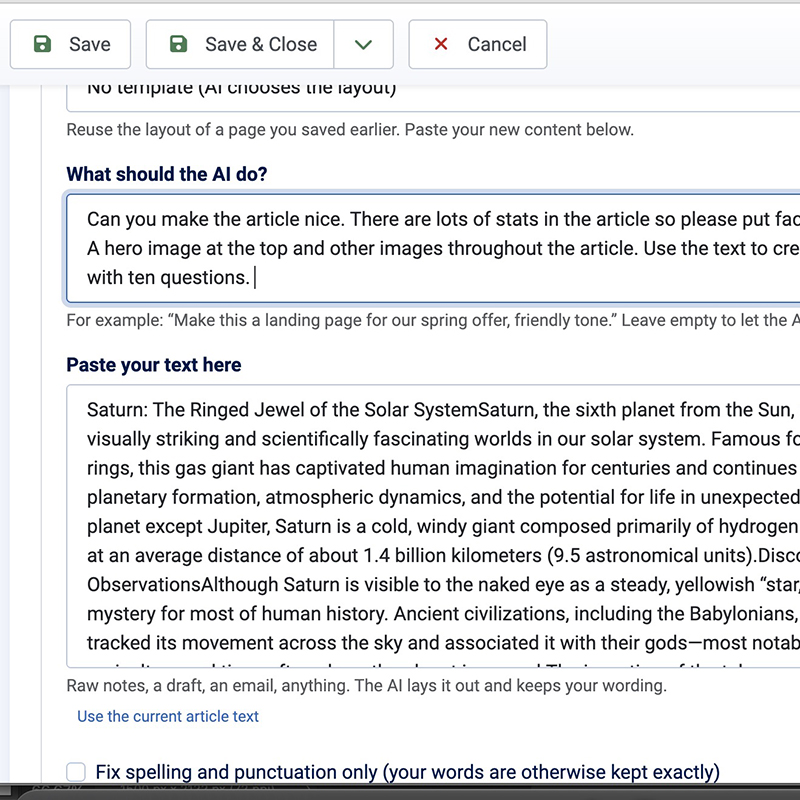
Most Joomla sites end up with articles that are walls of text, because building proper layouts in an editor takes time and HTML skills. SE AI Article Designer changes that. Paste in your notes, a draft or an email, add a line about what you want ("a landing page for our spring offer, friendly tone"), and the AI lays it out as a finished article: hero section, lead paragraph, cards, call-outs, steps, statistics, FAQs, quotes, galleries and more.
It keeps your wording. The designer lays out what you wrote, word for word, and never rewrites it unless you ask. Every sentence is checked against your original: if anything was changed, dropped or added, the preview shows you exactly what before you apply it, and one click puts your words back. Tick "fix spelling and punctuation only" when you want typos corrected, or ask in the chat when you do want something rewritten.
There is no pop-up and no separate screen. The designer is a panel directly under the article editor, with tabs for Create, Edit text, SEO and History. It works with TinyMCE, the JCE Editor, CodeMirror and the plain-text editor, follows Joomla's light and dark admin themes, and can also be switched on for modules and category descriptions. In TinyMCE and JCE, your house style shows right inside the editing window, so what you edit looks like the finished page, and Ctrl+Z undoes any change the designer makes.
Every layout appears in a live preview before anything changes in your article. Not quite right? Just say so: "make the opening bigger", "put the photo on the right", "turn the prices into a table". Each tweak updates the preview, and you can undo the last tweak or start over at any time. Your conversation is saved, so you can pick up where you left off after a reload.
When you are happy, replace the whole article, add the layout to the end, or insert it at the cursor.
Set your brand colours, fonts and corner style once, and choose which layout patterns the AI may use. Fonts default to your site template's own, so articles match the rest of your site. The output uses clean, class-based HTML with a single shared stylesheet, so a later change to your house style updates every designed article at once. Colour contrast is checked for readability, and you can still ask the AI for one-off restyling ("make this button green") whenever you need it.
Need to update a price, rewrite a paragraph or add an FAQ to a long article? Describe the change, choose which parts the AI may touch, and review every proposed edit in a clear word-level diff before accepting it. Nothing outside your chosen parts can change, and everything else stays exactly as it was.
Drag in photos or pick them from the Joomla Media Manager. The AI sees each image, places it where it fits, writes useful alt text and adds a caption when it helps. Images are resized and saved in several sizes, so visitors on phones download small files and desktop visitors get sharp ones.
Each AI change is saved as a version. Restore any earlier version, or undo just one change while keeping everything you did since. Ctrl+Z works too. Images and history follow a new article from the moment you start, even before its first save.
Save a finished article as a template, then reuse that exact layout with new content: weekly newsletters, match reports, product pages, event listings. Templates keep a short version history of their own, so updating one is never risky.
The SEO tab suggests a meta description, keywords and page title based on the article, optionally aimed at a focus phrase. Review the suggestions, edit them if you like, and apply them to the article's fields with one click.
Use OpenAI, Anthropic Claude, Google Gemini or any OpenAI-compatible endpoint, including self-hosted models. You pay your provider directly at their rates. Usage is logged per request so you can see exactly what is being used, and you can set a daily request limit.
{loadmodule} are protected and come back exactly as written.Native Joomla 5 and 6 extension, tested on both, with the TinyMCE and JCE editors, permissions, multilingual sites, workflows and page caching supported. The interface is available in English, Spanish, Portuguese, German, Dutch, French, Polish and Italian, and works with right-to-left admin languages.
The free edition includes every feature for evaluation and designs 5 articles a month, with one house style and up to three templates. A free licence key is required. Development and staging sites are unlimited, with no key needed.
Pro removes the monthly limit and adds unlimited house styles and templates.