


AI-powered chatbot for Joomla 5 and 6 that answers visitor questions using your own content. Connects to Claude, GPT, Gemini, or DeepSeek and learns from your articles, SP Page Builder pages, documentation sites, and pasted text. This can be used on the Google Gemini Free Tier. Supports Hikashop, Virtuemart, SP Pagebuilder, Docman, Edocman, RS Forms and Zoo.
Turn your Joomla site into a 24/7 support assistant. SE AI Chat is a powerful AI chatbot extension for Joomla 5 and 6 that answers your visitors' questions instantly, in natural language, using knowledge drawn from your own website. Instead of generic AI replies, every answer is grounded in your real content — so customers get accurate, relevant, on-brand help around the clock without adding to your support workload. This can be used on the Google Gemini Free Tier using 3.6 Flash.
Use the AI provider you prefer. SE AI Chat works with all the leading models: Anthropic Claude, OpenAI ChatGPT, Google Gemini, and DeepSeek. Choose a provider, paste your API key, and you're live. Your key is stored securely and used server-side only, so it's never exposed to visitors.
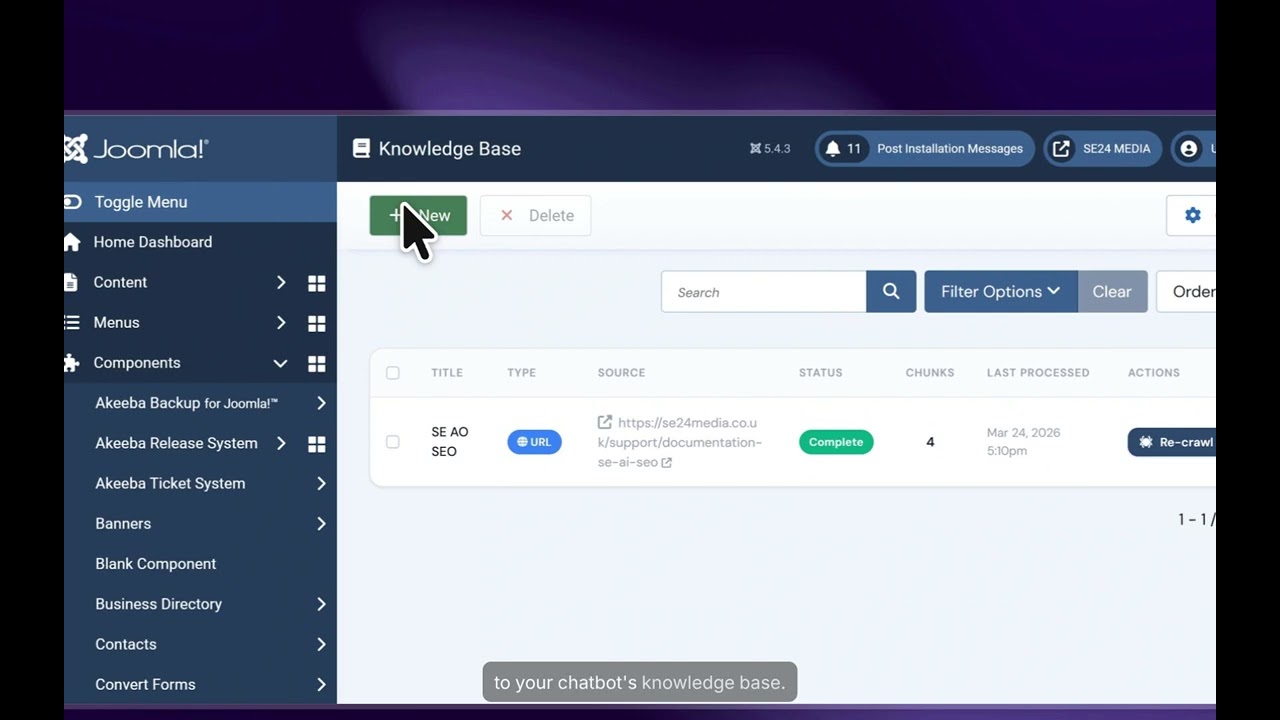
Build a knowledge base from content you already have. Index your Joomla articles by category, your DOCman, Edocman or RS Files document library, SP Page Builder, Mosets Tree, Zoo pages, external documentation sites, or text you paste in directly. Pro users can also index HikaShop and VirtueMart product catalogues, including size and colour variants — perfect for turning an online shop into a conversational sales assistant. The chatbot reads your content, finds the most relevant passages, and answers with precision.
Keep private content private. Per-source access control lets you mark each knowledge source as public or members-only, so logged-in users get answers from your private documentation while guests only ever see public information. Mix help articles, internal manuals, and member resources in a single, intelligent knowledge base.
Always up to date, hands-free. Automatic reindexing refreshes your knowledge base on a schedule, so the chatbot keeps pace as your content changes. Run it via a page-load pseudo-cron that needs no server access — ideal for shared hosting — or via a standard CLI cron job for full control.
Embed the chat anywhere. Display SE AI Chat as a floating widget with eight position options, as an inline module inside your template, or as a dedicated full-page chat experience. Customise the appearance, wording, and behaviour to match your brand, and add call-to-action prompts that guide visitors toward contact forms, products, or bookings.
Stay compliant and informed. A built-in GDPR consent gate, with a customisable notice that automatically names your AI provider, helps you meet privacy obligations. Detailed chat logs reveal exactly what visitors are asking, so you can spot knowledge gaps and continuously improve your answers.
Built natively for Joomla 5 and 6, SE AI Chat installs in minutes and gives your site a smart, content-aware chatbot that genuinely helps your visitors — and your business.
A side-by-side comparison of what's included in the Free version of SE AI Chat and what unlocks with a Pro licence.
| Feature | Free | Pro |
|---|---|---|
| AI & chat | ||
| AI providers (Claude, ChatGPT, Gemini, DeepSeek) | ✓ | ✓ |
| Standard model per provider | ✓ | ✓ |
| Premium models (Claude Sonnet 4, GPT-4o, Gemini 2.5 Pro, DeepSeek Reasoner) | — | ✓ |
| Conversational answers from your knowledge base | ✓ | ✓ |
| Custom system prompt (Free uses a fixed default) | — | ✓ |
| Suggested prompt chips | — | ✓ |
| AI-generated follow-up suggestions | — | ✓ |
| Prompt persistence | — | ✓ |
| Knowledge base sources | ||
| Number of knowledge base sources | 1 | Unlimited |
| Website URL crawling | ✓ | ✓ |
| Manual Text | ✓ | ✓ |
| Joomla Articles (by category) | ✓ | ✓ |
| SP Page Builder and Zoo Content pages | ✓ | ✓ |
| DOCman, Edocman and RS Forms documents | ✓ | ✓ |
| HikaShop products (incl. variants) | — | ✓ |
| VirtueMart products (incl. variants) | — | ✓ |
| Knowledge base management | ||
| Manual reindexing | ✓ | ✓ |
| Per-source access control (public / members-only) | ✓ | ✓ |
| Automatic page-load reindex (no server cron needed) | — | ✓ |
| Scheduled CLI / URL cron reindexing | — | ✓ |
| Engagement | ||
| Call-to-action buttons | 1 | Unlimited |
| Display & experience | ||
| Floating widget (eight positions) | ✓ | ✓ |
| Inline module | ✓ | ✓ |
| Full-page chat | ✓ | ✓ |
| Appearance & widget text overrides | ✓ | ✓ |
| Compliance & insight | ||
| GDPR consent gate | ✓ | ✓ |
| Chat logs | ✓ | ✓ |
| Dashboard | ✓ | ✓ |
The Free version is a fully working AI chatbot for Joomla 5 and 6. Connect any of the four supported AI providers (using each provider's standard model), build a knowledge base from one source — a website, your Joomla articles, DOCman documents, an SP Page Builder page, or pasted text — and put the chat on your site as a floating widget, an inline module, or a full-page experience. You also get per-source access control, a GDPR consent gate, chat logs, and the dashboard. It's a genuine, usable chatbot for a single, focused knowledge source.
Pro removes the limits and unlocks the features that matter for serious deployments: